
Stop preparing one product at a time
Use an editable prepared product, assign one reusable setup by product, collection, tag, vendor, SKU, or supplier family, or keep detailed one-product setup for exceptions.
Sell T-shirts, hoodies, polos, caps, jerseys, totes, workwear, and other decorated apparel without showing every customer every control. Product colors, printable sides, regions, methods, pricing, and exports stay attached to the selected garment.
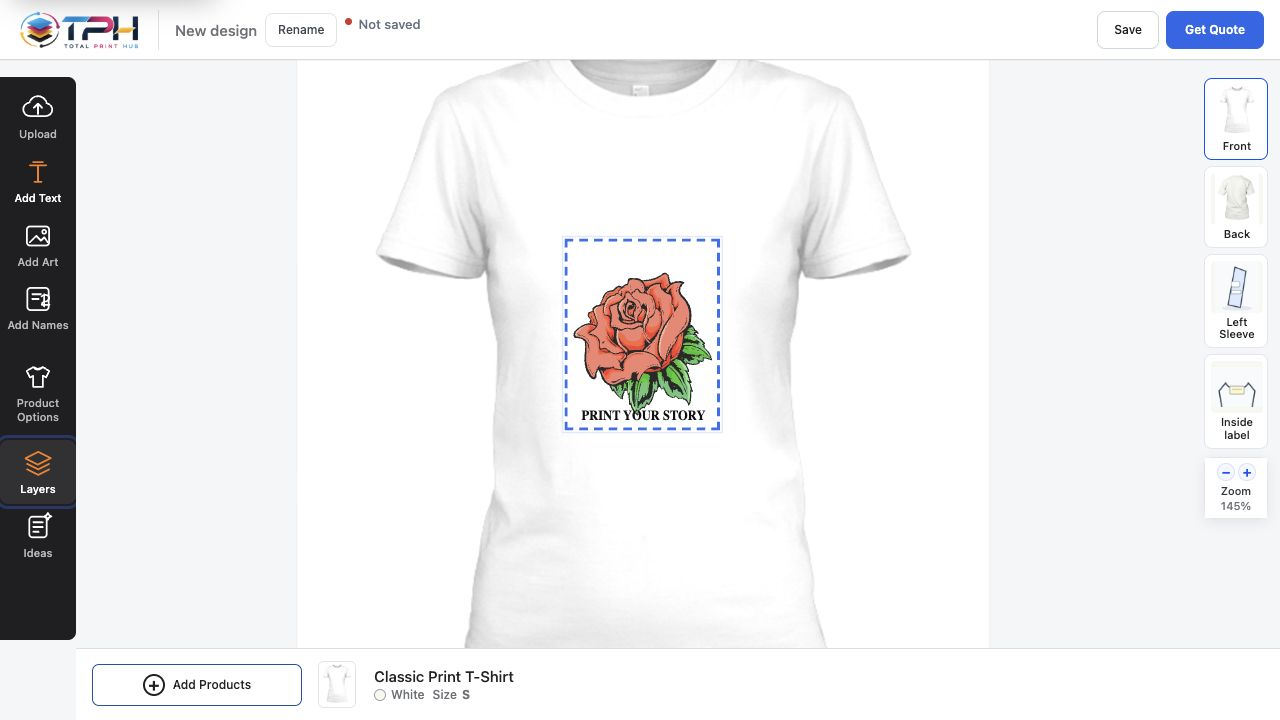
Use an editable prepared product, assign one reusable setup by product, collection, tag, vendor, SKU, or supplier family, or keep detailed one-product setup for exceptions.
The selected Shopify or WooCommerce product controls the colors, sizes, sides, print areas, and customer options that appear in Product Studio.
Saved design data, artwork, fonts, uploads, previews, pricing evidence, and production exports remain with the order instead of being rebuilt from a flattened screenshot.
Merchants keep advanced capability without turning every routine task into a long form. Each step reveals the choices needed for that product and role.
Start from an editable colorable mockup or use the merchant's product imagery, then confirm sizes, colors, sides, print regions, methods, and starting prices.
Customers add text, artwork, uploads, effects, and placement only inside the print areas that belong to that product.
Use a simple placement price or method-aware rules for quantity, colors, dimensions, white base, stitches, setup, and other merchant-owned factors.
The merchant receives the design context and resources needed to print, review, approve, recreate, route, inspect, pack, and fulfill the job.
Start with the customer experiences and product families your shop needs, then expand without rebuilding the order and production system.