Skip to content
Gang Sheet Builder

Gang sheets customers build themselves. Packed, checked and priced.

Customers pick a sheet size, upload their designs and set quantities. The builder arranges every copy, flags art that will print soft, shows the price and sends a sheet your printer can run as is.

DTF and UV DTFYour sheet sizes and pricesNo layout by hand
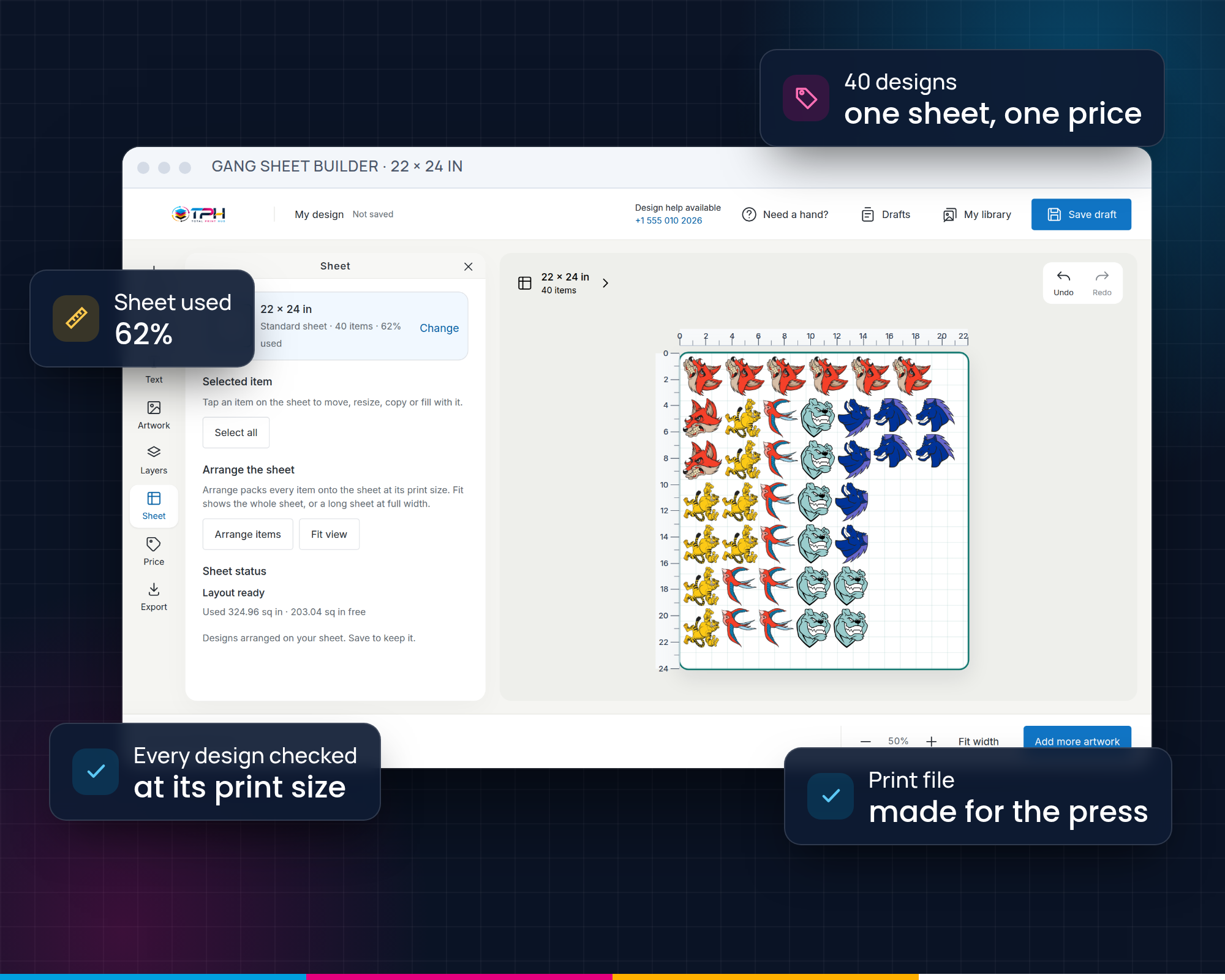
The Gang Sheet Builder on a 22 × 24 in sheet with 40 mascot transfers, 62% of the sheet used, every design checked at its print size, one price for the sheet and a print file made for the press.
How a customer builds a sheet

Five steps. The builder does the fiddly part.

  1. Choose a sheetThe sizes you sell, each with your price.
  2. Add designsUpload files, or make text and art in the builder.
  3. Set quantities“48 of the logo, 12 of the crest.” Copies are placed for them.
  4. Arrange and fillAuto-arrange packs the sheet; Fill sheet uses the space left.
  5. Check and buyEvery design has a resolution verdict before it reaches the cart.
Fewer reprints

Problems found on screen, not on film.

Resolution checked at print size

A 96 DPI logo stretched to 12 in is flagged before checkout, with the size it prints sharp at.

Background removal and upscale

Customers fix a boxed-in JPG or a small logo without leaving the builder.

What they approve is what you print

The sheet is saved exactly as approved and the print file is generated from it.

In production

Paid sheets land on the board, ready to print.

Each paid sheet becomes a job with its print file and its size, in the DTF line of your production queue. Your team prints, cuts and ships without opening a design tool.

See the production board
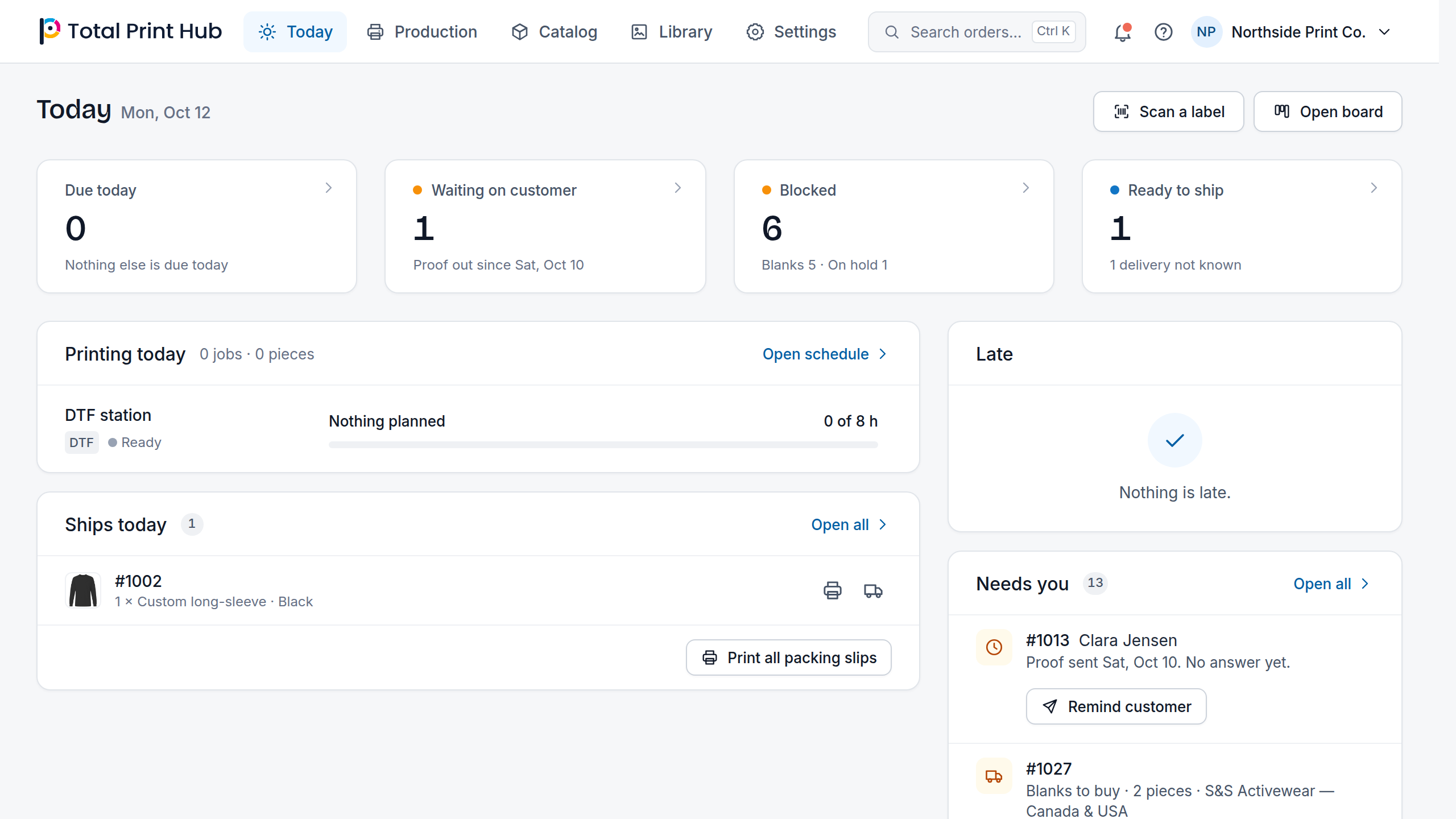
Today in the Total Print Hub Admin: due today, waiting on customer, blocked and ready to ship, what the DTF station prints today, what ships today, late orders and what needs you.
Your rules

Sell sheets the way your shop prices them.

Set the widths and lengths you print, the price of each and the products they appear on. Sell the builder on its own, or next to the Design Studio in Complete.

  • Sheet sizesEvery width and length you print, each shown with its size in inches.
  • Sheet pricingA price per sheet size, shown live in the builder and charged the same at checkout.
  • Print-ready outputThe sheet file is generated at print size from the approved layout, attached to the order.
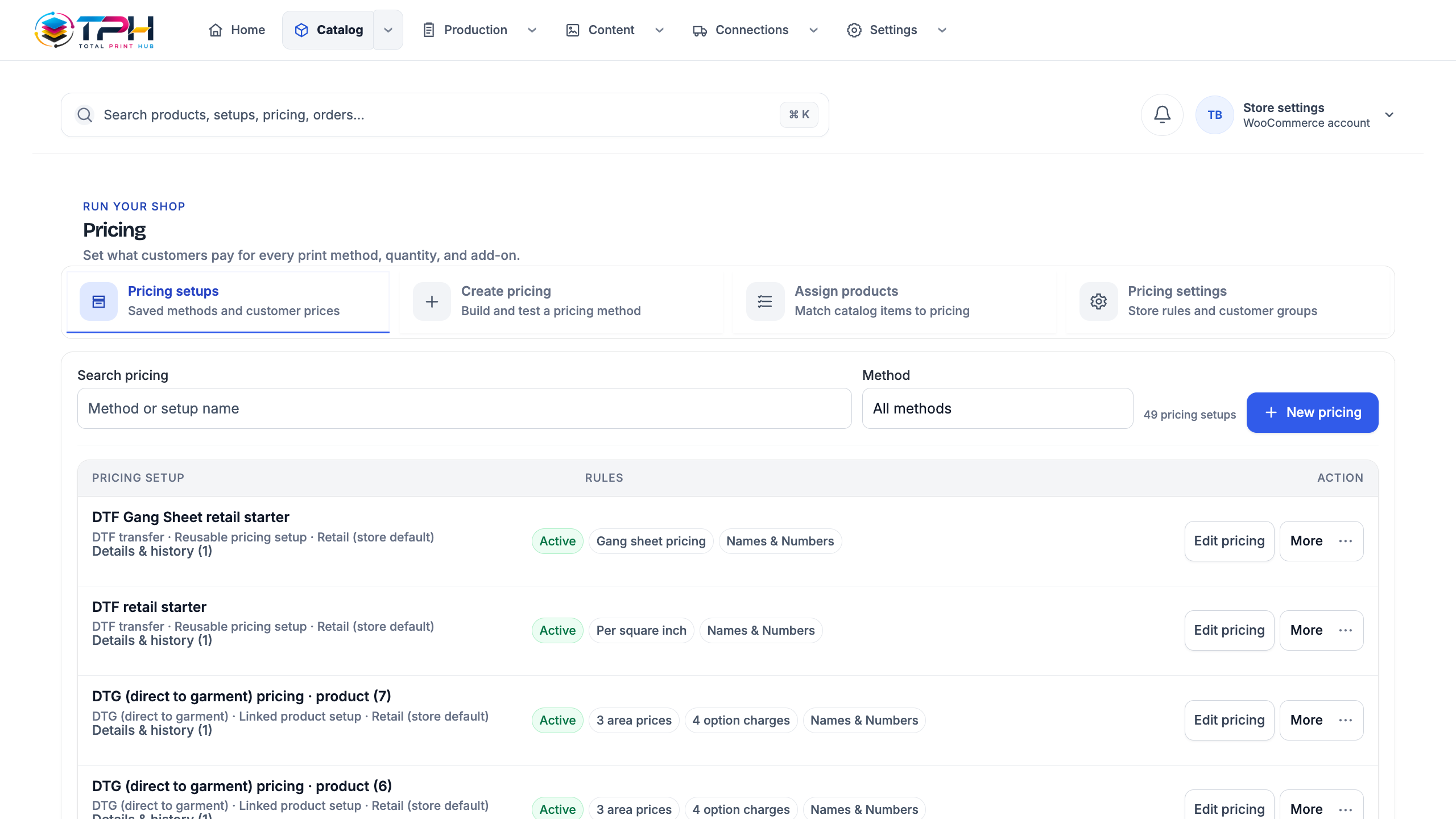
Pricing setups in the Total Print Hub Admin: DTF gang sheet, per square inch and DTG setups with their rules.
A practical guide

Running a DTF gang sheet builder on your own store

What changes for your shop when customers build their own DTF and UV DTF gang sheets on Shopify or WooCommerce, and how to set the builder up so sheets arrive ready to print.

Choose the sheet sizes you really print

Start from the film widths your printer runs and the lengths you already quote, such as 22 in wide in a few lengths. Each size you add appears in the builder with its own price, so a customer never orders a sheet your printer cannot run.

Start with a few clear sizes rather than a long list, and add a longer sheet later when customers keep filling the largest one.

How auto-arrange packs a sheet

Customers set a quantity for each design and auto-arrange places every copy on the sheet they bought. It keeps 0.2 in between designs by default, turns a design by 90° when that fits more on the sheet, and handles up to 5,000 copies in one arrange.

Fill sheet then uses the space that is left, so the customer decides whether to pay for empty film or put more designs on it.

Checks that happen before the cart

A sheet cannot reach the cart with an empty layout, a design that sits off the sheet or two designs that overlap. Each upload also gets a resolution verdict at the size it will print, so a small logo stretched to a full front is caught while the customer can still replace it.

Customers can remove a background or upscale a small logo in the builder, so a boxed-in JPG or an undersized logo can be fixed before it costs you film and ink.

From a paid sheet to the press

When the order is paid, the sheet becomes a job on your production board with its print file generated from the layout the customer approved. The file matches the sheet size they bought, so your team prints it as it is instead of rebuilding it in a design tool.

Sheets and customized garments share one board, one set of stages and one Orders list, whichever store the order came from.

Which plan fits a gang sheet business

Core includes one design engine: choose the Gang Sheet Builder if sheets are most of your orders. Complete adds the Design Studio and Instant Merch next to it, for shops that also sell decorated garments and merch. Dedicated runs everything in Complete with isolated performance on its own database.

Questions

Gang Sheet Builder questions

Which plan includes the Gang Sheet Builder?

Core (choose the Gang Sheet Builder as its engine), Complete, which includes it next to the Design Studio and Instant Merch, and Dedicated.

Is it a DTF gang sheet builder for Shopify and WooCommerce?

Yes. Customers open the builder from a product page in your Shopify theme or WooCommerce store, build a DTF or UV DTF sheet, and the finished sheet goes into your own cart and checkout.

Can I sell my own sheet sizes and prices?

Yes. You set every width and length you print and a price for each. The builder shows that price live, and your checkout charges the same.

Can customers mix designs and quantities on one sheet?

Yes. Each design keeps its own quantity, and auto-arrange places every copy on the sheet size they bought. Fill sheet then uses the space that is left.

Which files can customers upload?

PNG, JPG, SVG, PDF, PSD, TIFF, WebP, GIF, BMP, AVIF, HEIC and AI (PDF-compatible) files. Customers can also add text and artwork in the builder, and remove a background or upscale a small logo without leaving it.

Do I still need to check files?

The builder checks resolution at print size before checkout and your team sees the verdict on the job. You approve or fix from the order, never by re-laying out the sheet.

What happens after a sheet is paid?

It becomes a job on your production board with its print file generated at print size from the approved layout, so your team prints, cuts and ships without opening a design tool.

Stop laying out sheets by hand.

Start the 14-day trial with your own sheet sizes and prices.