Upload-first orderingBuilt around the file the customer already has.
Instant Merch starts from the customer's picture. It checks the file, offers sizes the file can print sharply, and prices the order from your own pricing setup before anything reaches the cart.
One commerce-connected recordPrivate merchant data boundaryEditable production evidence
01
Upload once, on the product page
Customers add a PNG, JPG, or WebP file where they already are: your product page. Their original stays private to your store and is never changed.
- ✓Every upload is checked for size and print quality automatically
- ✓Remove a single flat background colour or enlarge a small file, then compare before and after
- ✓Switch back to the original at any time before adding to the cart
02
See it at the size it prints
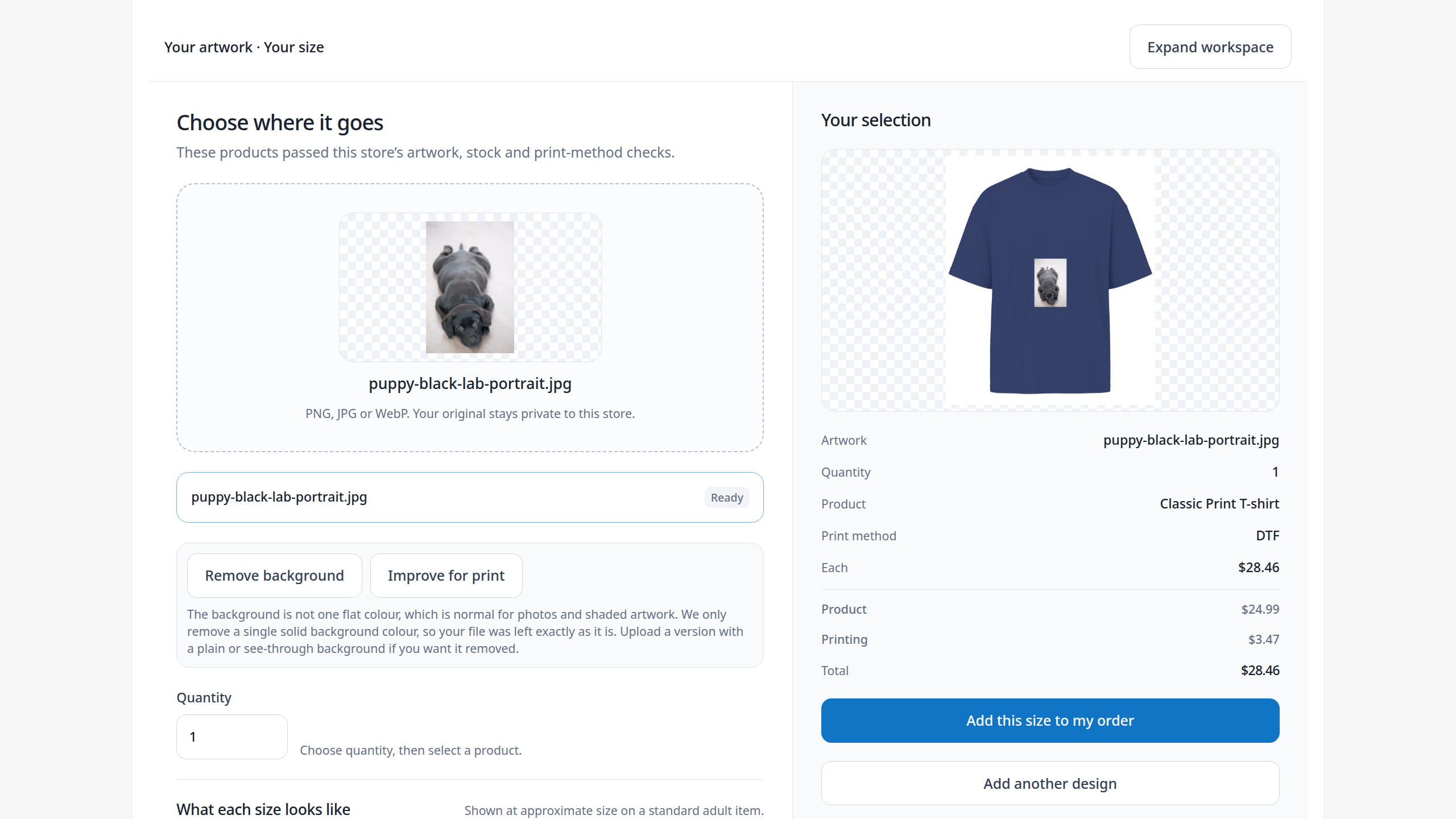
The artwork appears on the products that pass your store's checks, measured in real inches.
- ✓Only products that pass your artwork, stock, and print-method checks are offered
- ✓Examples show the artwork at the size it is normally printed there
- ✓Sizes stop at the largest the file can print sharply
03
Priced before the cart, complete for production
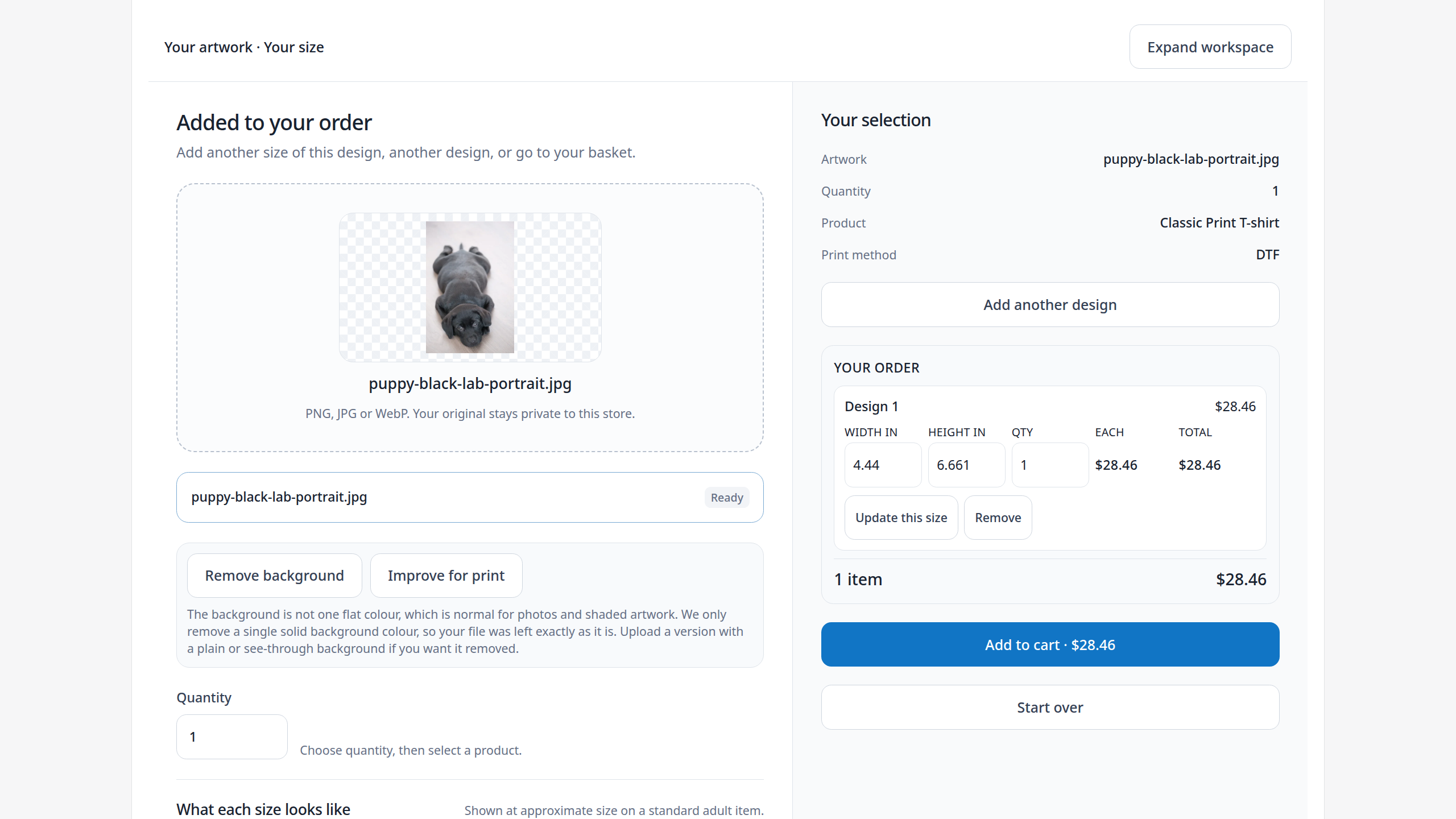
The price comes from your own pricing setup, and each order keeps what your team needs to print it.
- ✓Product and printing prices shown before anything reaches the cart
- ✓Several sizes and designs in one order, each on its own line
- ✓The artwork the customer chose, its printed size, and its price stay with the order