Why one upload sells more
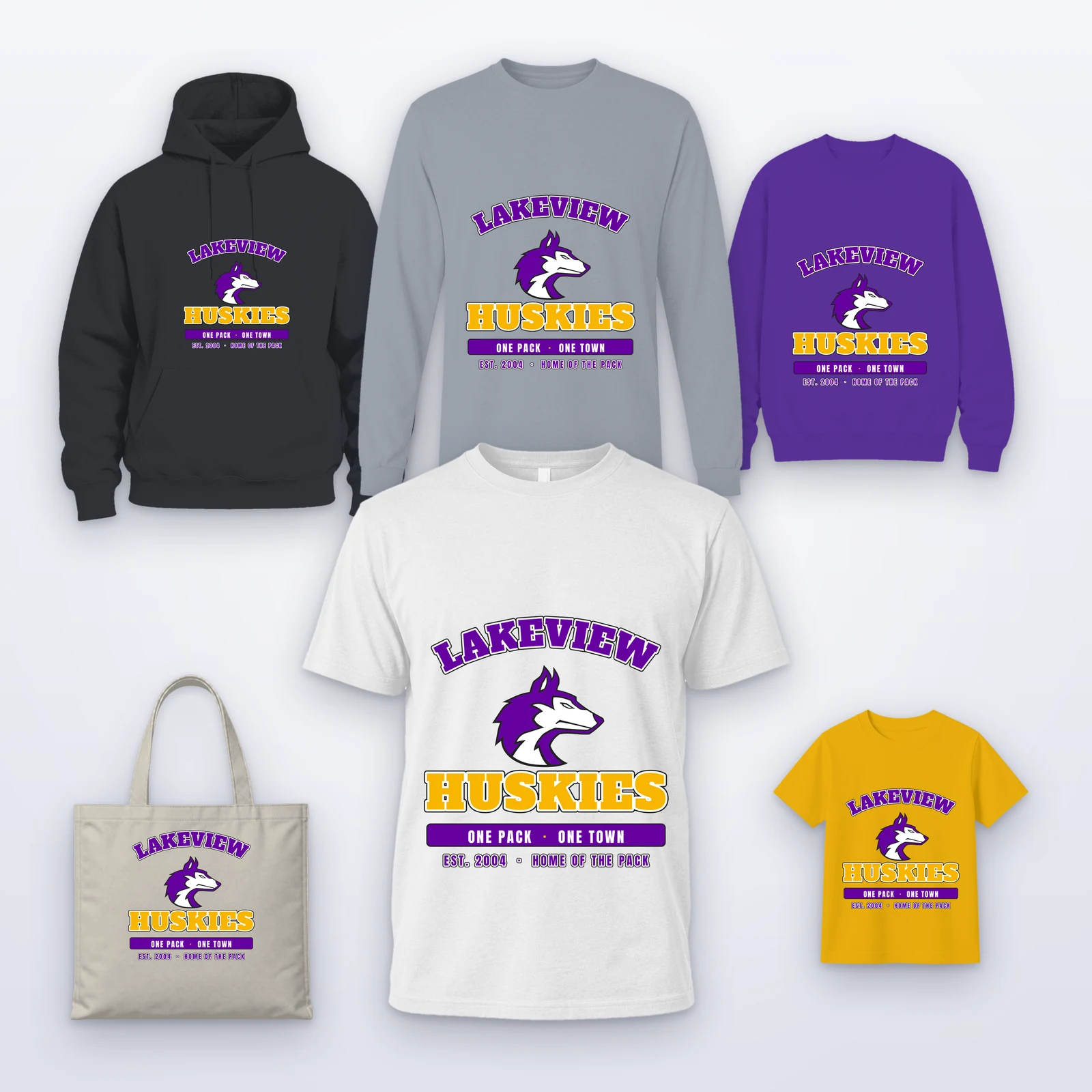
A customer who came for twelve shirts sees their logo on every product you sell that can carry it: hoodies, caps, bags, drinkware. Seeing the whole range with their own artwork can turn a single-product order into a merch order, without a mockup request to your team.
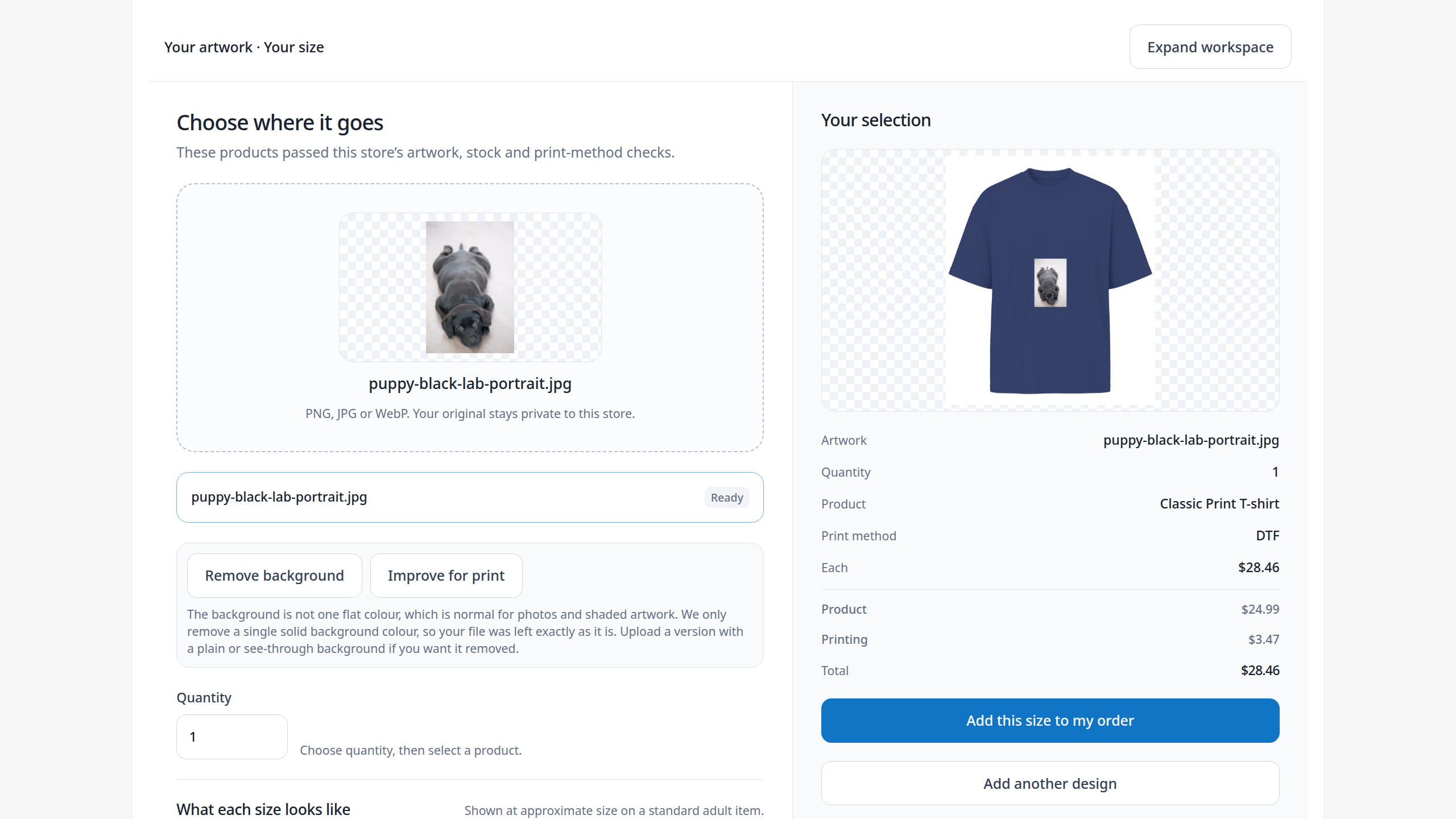
The customer picks colors, sizes and quantities for each product, sees the total as they go and checks out once in your store.
Only products that will print well
Instant Merch checks the artwork against each product before showing it. By default artwork must reach 150 DPI at the size it would print on a product to be shown there, and anything below 300 DPI carries a warning, so a small logo appears on the products it suits and is left off the ones it would print soft on.
Sizes a first-time buyer understands
Few customers know that a left-chest logo is about four inches across. Instant Merch offers popular placement sizes, such as left chest, full front or hat front, fits the artwork inside each at its own proportions and says when the artwork's resolution or your largest size limits one. Customers can still type their own size.
Switch it on product by product
You choose which products take part. Switch Instant Merch on for a product and prepare it with one action, which uses the product's existing print areas, methods, variants and pricing, so there is no second catalog to keep. On Shopify you add the Instant Merch block to your product template in the theme editor, without editing theme code.
One checkout, one order
Everything the customer picked goes into your Shopify or WooCommerce cart together, at the prices your pricing setups give. The paid order reaches production with the artwork on each item, so nobody rebuilds the design product by product.
Which plan includes it
Instant Merch is in Complete and Dedicated, next to the Design Studio and the Gang Sheet Builder. Core includes one design engine and not Instant Merch.
What to prepare
Pick the products you want customers to see, make sure each has its print areas and prices, and ask your best customers for their logo as a vector or a large PNG. Upload one yourself first: what you see is what your customer will see.
 Total Print Hub